Breaking Down Silos: A Review of Civil Engine, A Game-Changer in Civil & Traffic Management Visualization
Over the past few weeks, I’ve been trialing Civil Engine, a new visualization and partial simulation tool released in May 2024 by the team at Beyond CAD. Built by civil engineers for civil engineers and contractors such as myself, Civil Engine directly addresses one of the most persistent issues we’ve encountered in our journey; the disconnect between engineered design, planning, software capability and effective 3D visualization specific to civil construction.
Workflows have long wrestled with a fragmented process involving multiple software platforms that enable delivery of coherent, believable, and visually clear construction staging and traffic management plans. For years, our process has required jumping between SketchUp, Revit, AutoCAD, Lumion and 3DS Max. Each serving a specific purpose but none offering an all-in-one solution. The result? An inefficient, expensive, and time-consuming workflow that places the burden of integration on the user.
This is where Civil Engine shines exactly.
What impresses us the most is its clear intention to bridge the gap between engineering-grade design and construction staging together with simplified yet high quality immersive visualization. It is one platform where we can import native CAD-based designs and visualize it in a high-fidelity 3D environment without losing the engineering intent of the design whilst also being able to test scenarios that are typical to civil construction workflows.
Standout Features
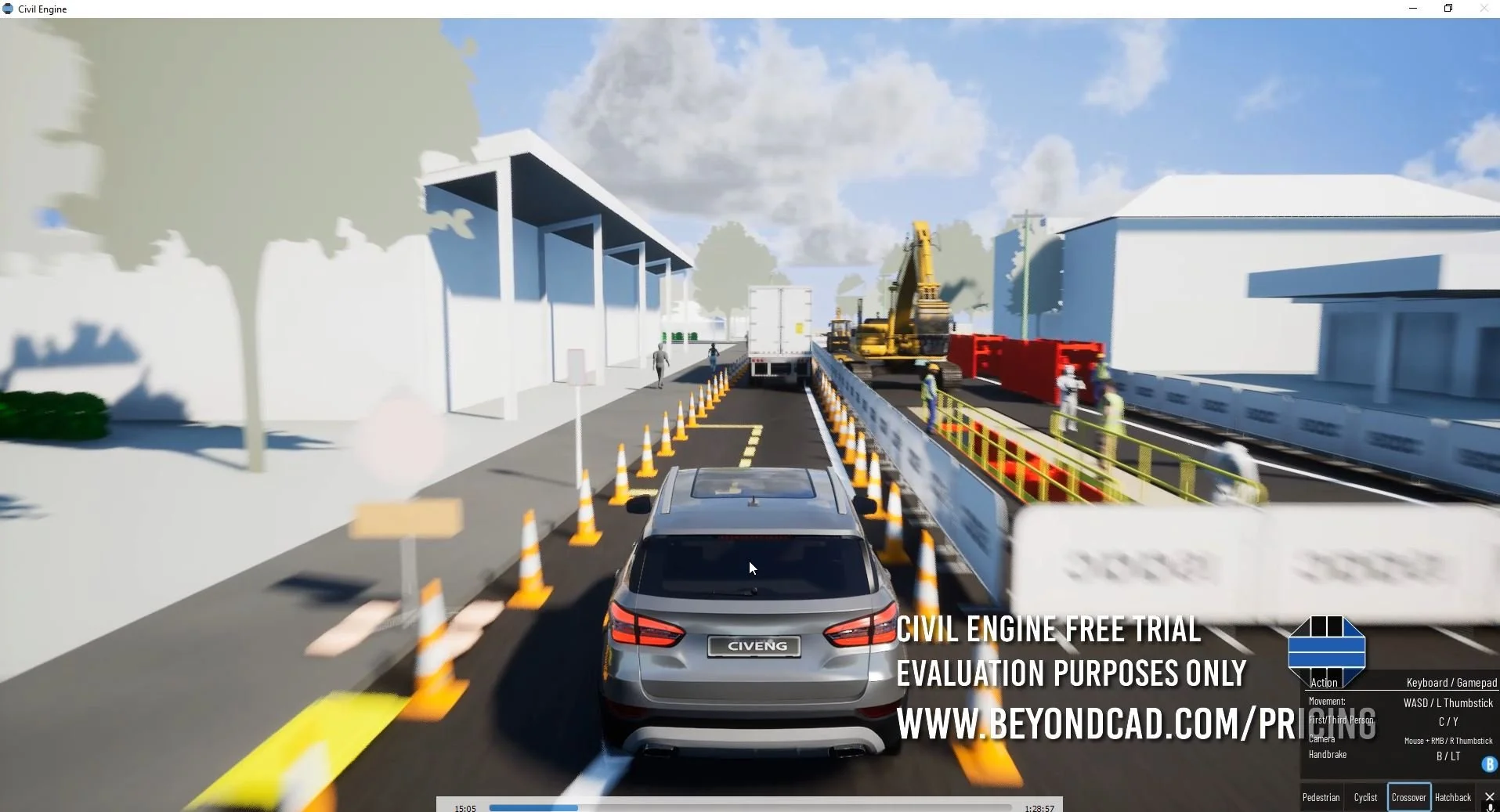
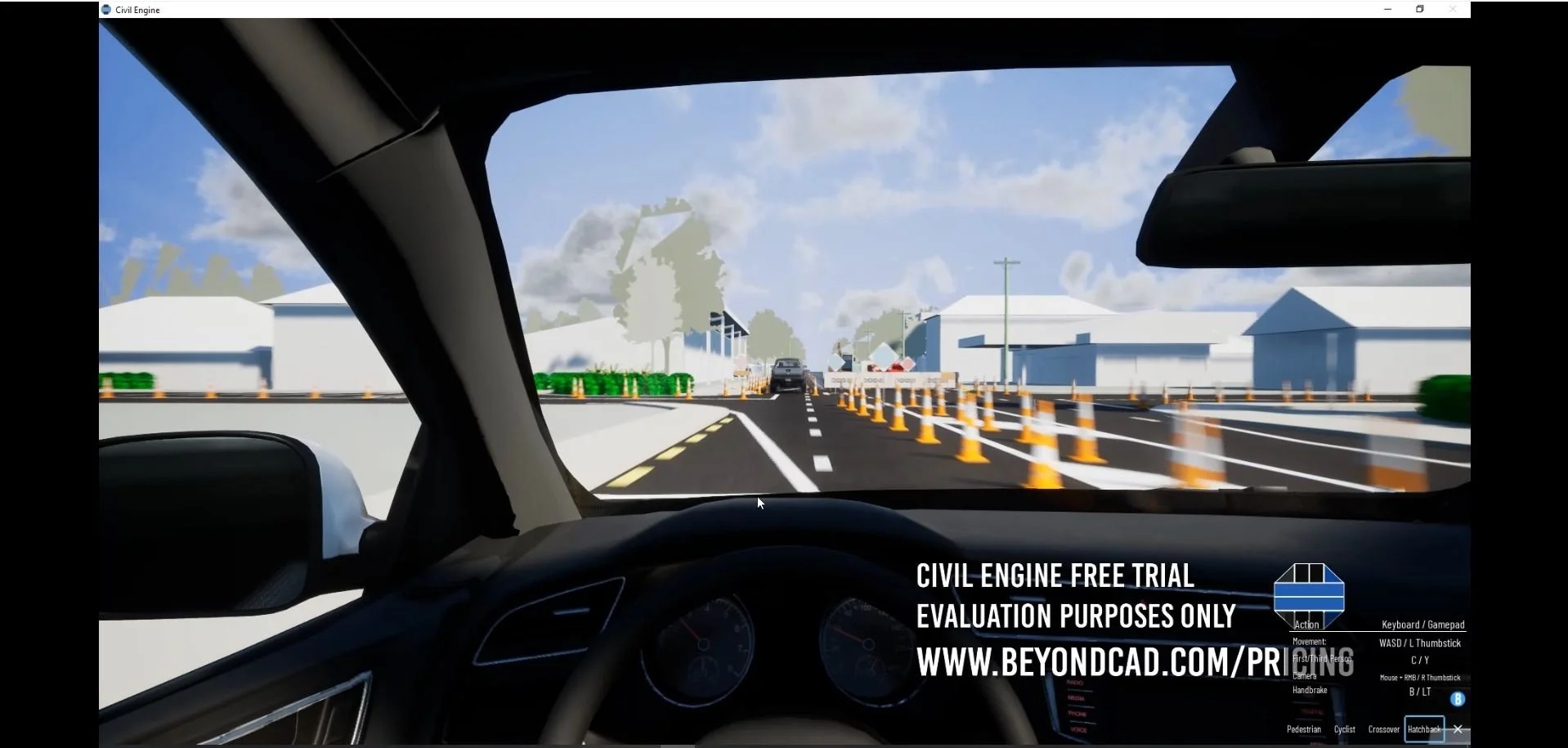
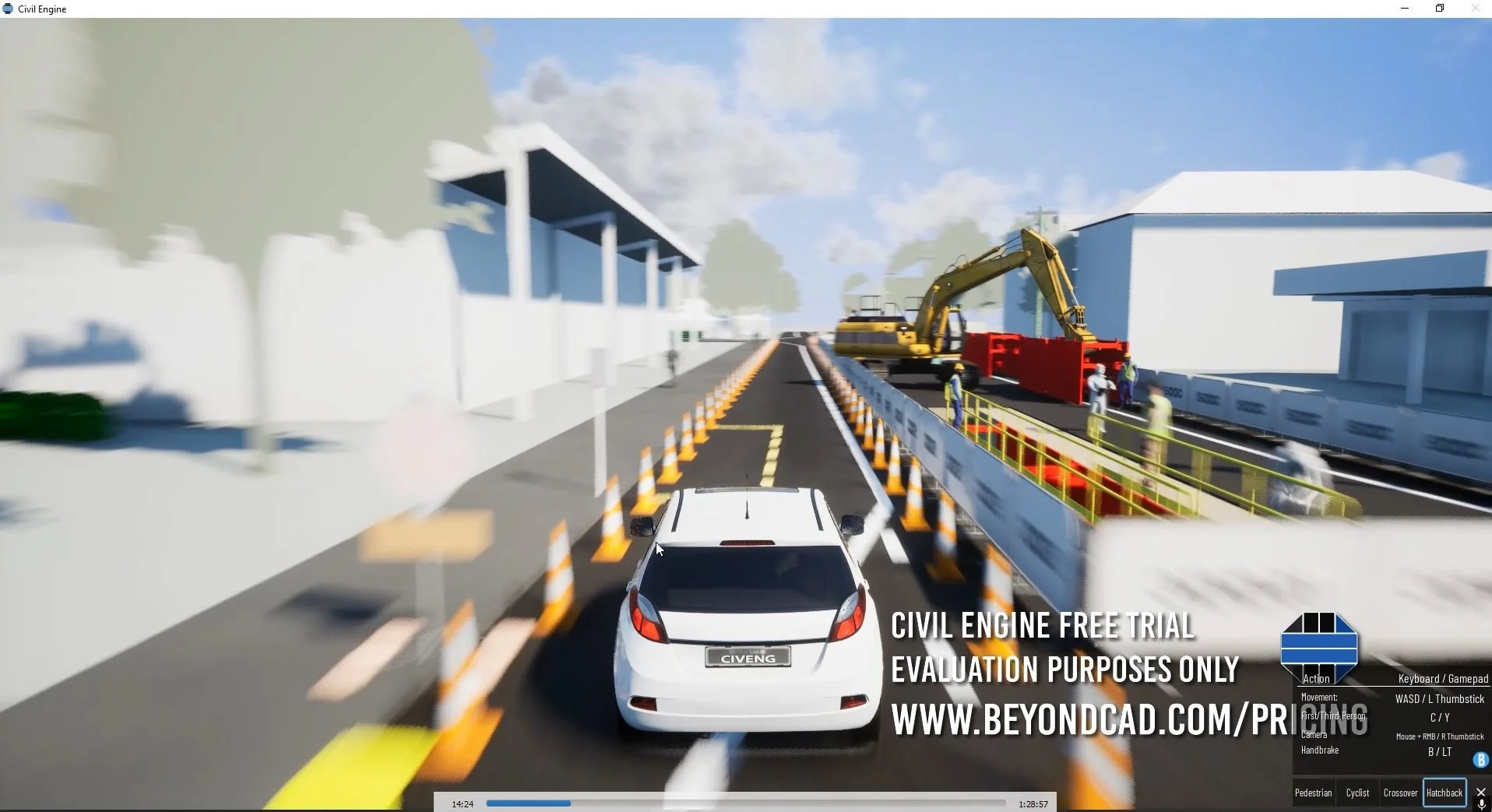
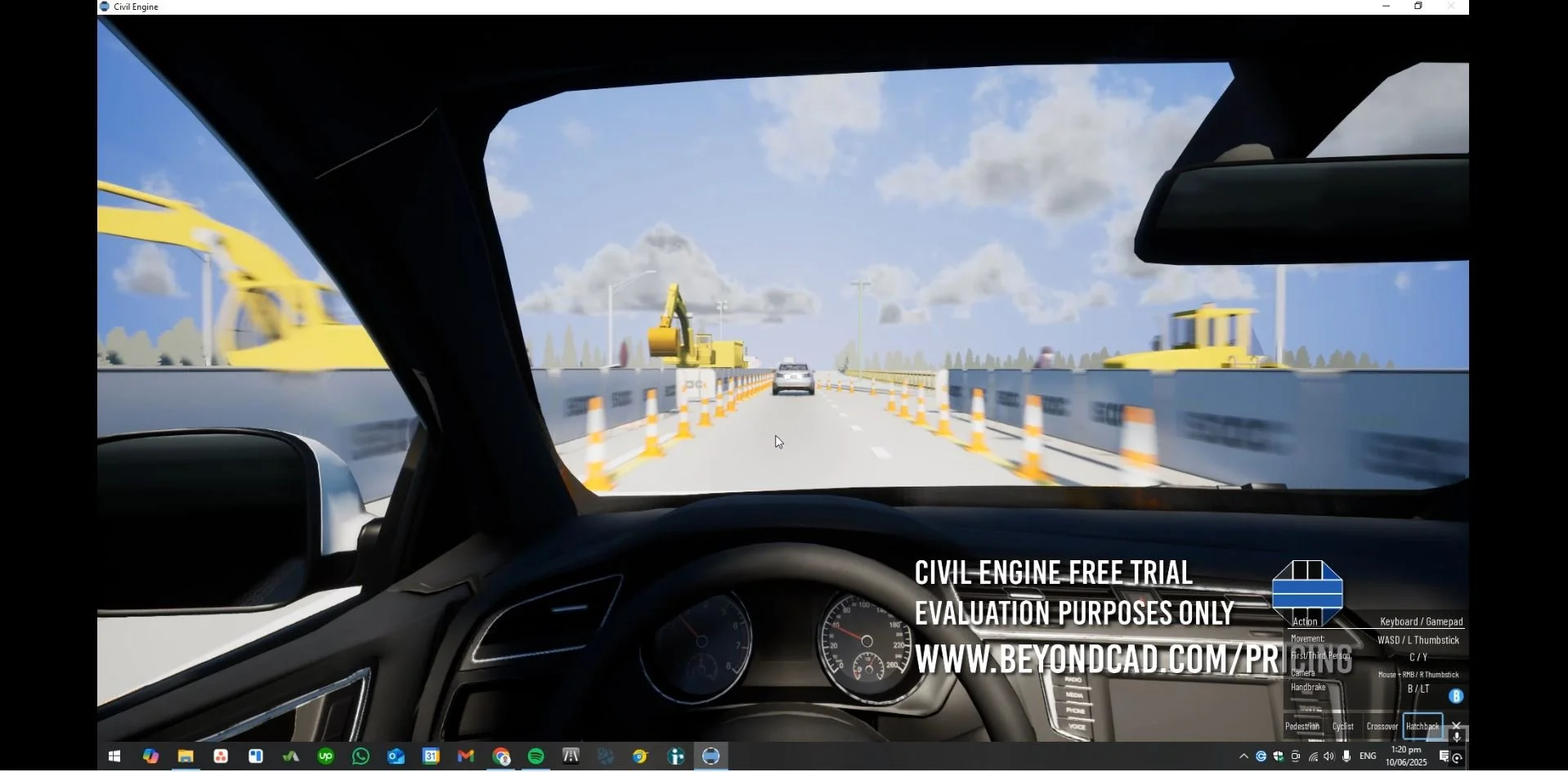
Explore Mode – Driver, Cyclist & Pedestrian Mode
In New Zealand’s construction industry, project success often hinges on clear communication and trust—especially when it comes to public safety. Conversations around traffic management routinely involve complex scenarios that impact drivers, pedestrians, and cyclists. Yet these discussions can easily be misunderstood, as they often rely on abstract descriptions that require a certain level of construction/planning experience to interpret and comprehend accurately.
When key stakeholders visualize a worksite differently than intended, it can lead to mistrust, misalignment, and eventually delays or strained relationships. Civil Engine’s Explore Mode addresses this challenge directly by providing a shared, immersive view of proposed worksites before works begin helping stakeholders understand the full picture of critical safety elements from the perspectives of parties that are affected the most - the public.
Summary of aspects that were helpful:
Easy Controls: Uses familiar keyboard/mouse or controller inputs common in computer games, making it intuitive for most users to pick up and navigate.
High Visual Fidelity with Smooth Performance: Delivers a polished, responsive experience without the need for custom optimization or asset preparation.
Not Fully Physics-Based: While collisions aren’t true-to-life, the tool gives an immediate and useful impression of what a worksite closure ‘feels’ like when driving through.
Real-Time, Driver-Eye Feedback: Enables testing of designs at specific speeds helping identify visibility issues and flow challenges from the driver’s perspective.
Integrated Into Workflow: Built directly into Civil Engine—no need for exporting to external platforms or building custom simulations.
Stakeholder-Friendly: Helps council stakeholders understand the real-world impact of designs through immersive, visual simulation that outweigh static plans/renders.
Smarter Site Planning: Gives project managers immediate feedback on how their TMPs and site setups might perform, inspiring adjustments and improvements.
Pedestrians & Cyclists: Gives clear visibility and controls to experience the worksite as a pedestrian or a cyclist with the same controls.
High-Quality & Animated Equipment Library
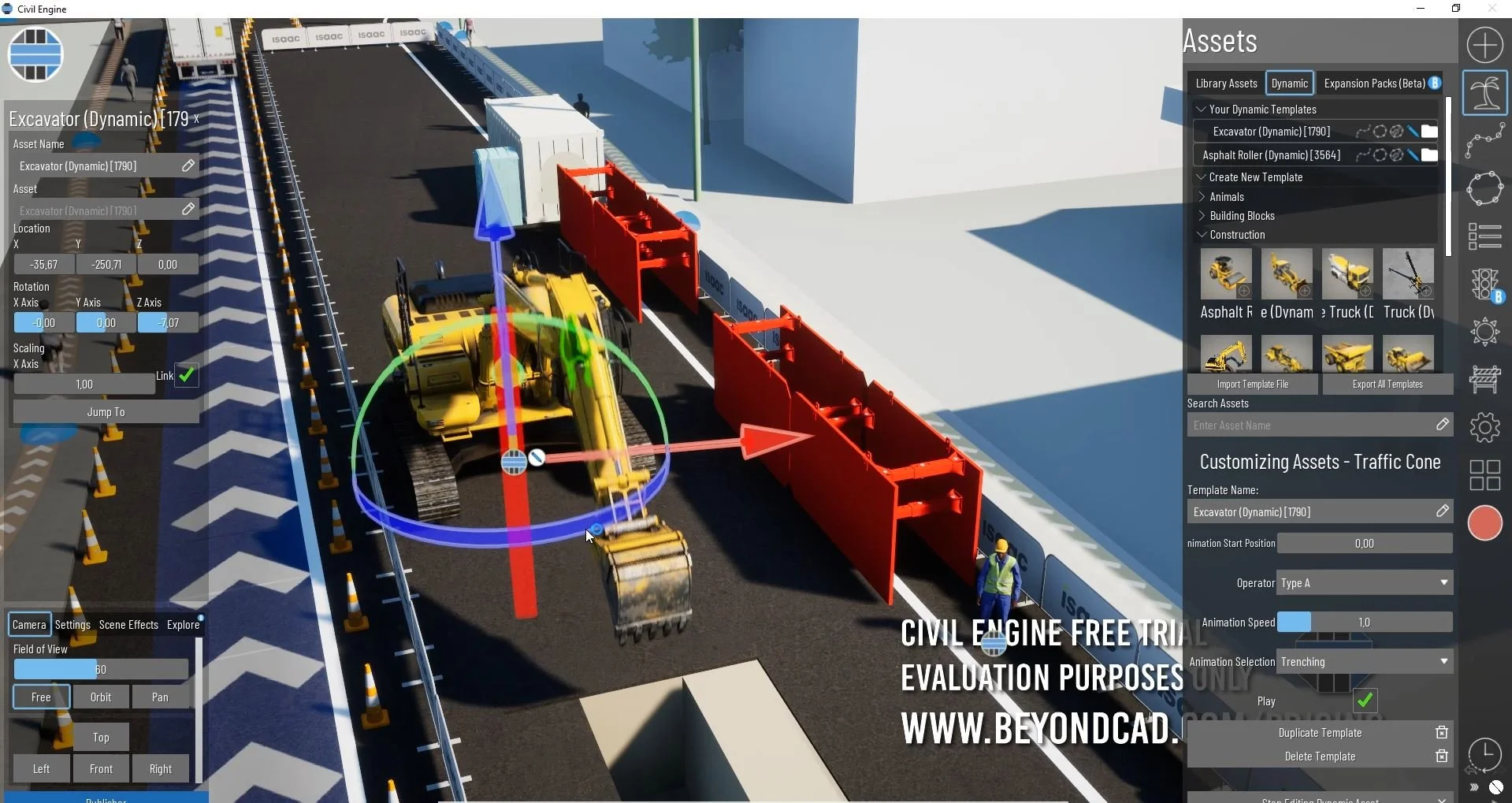
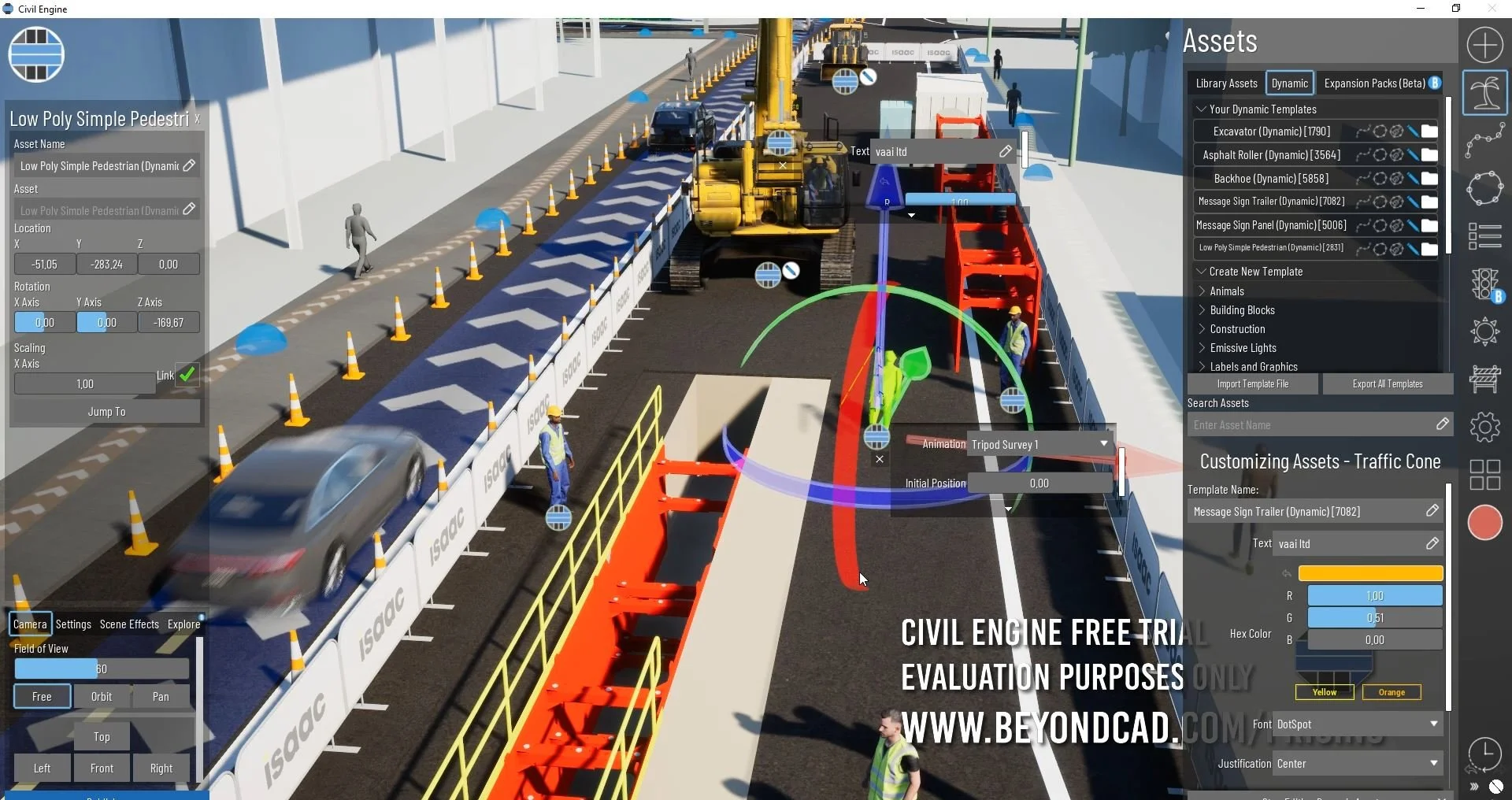
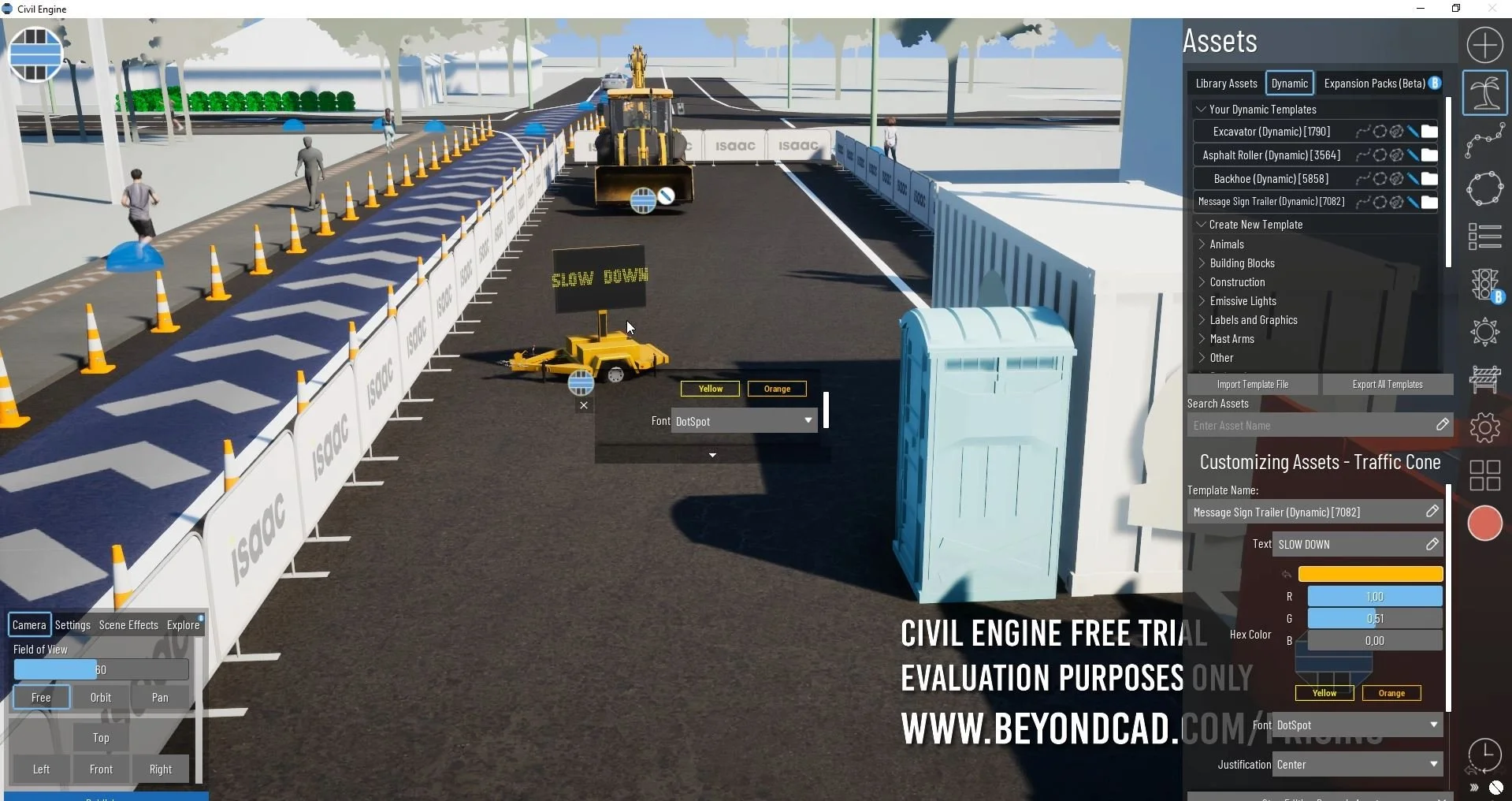
Civil Engine has an awesome library of standard vehicles, construction vehicles, including excavators, bobcats, mobile cranes, pavers, graders, rollers, and loaders. The detail and accuracy of these models are outstanding—not merely visually, but in terms of how they may be assembled and placed within scenes to reflect real machine configurations. This enables us to show not just the "what" but the "how" of our intended construction sites.
Intersection Simulation Tools
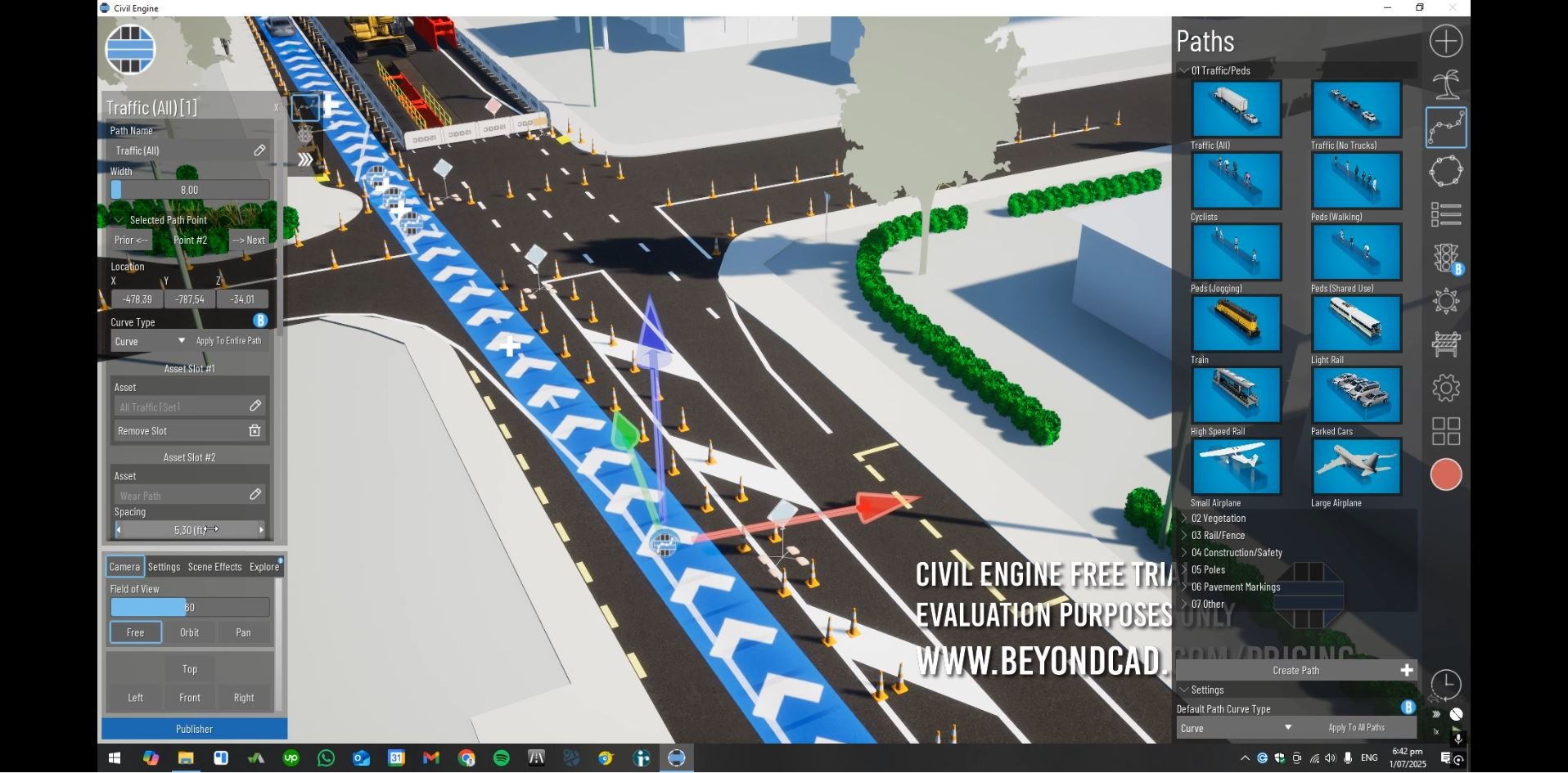
Insert traffic direction, flow speed, type of traffic and behavioral settings
They allow users to prototype and model basic control logic and traffic flow situations within civil plans. As they further improve, they're already a huge step up and have fantastic potential for future releases. A bit of polish on the usability, and this becomes an even more powerful planning tool.
Our Verdict
Civil Engine has taken a powerful first step towards solving a problem of the outside world in our space. It's obvious that team at Beyond CAD appreciate the unique issues civil design & construction experts have and that they've built a platform that aims to combine visualization, simulation, and engineering sensibility into one workflow.
Our current workflows continue to work ok, but as Civil Engine matures (especially in v3 or v4), we're seriously looking at moving our whole rendering and flythrough visualization workflow onto the platform.
It's not simply another new tool. It's a vision of civil engineering and 3D communication better—faster, leaner, smarter, and more integrated.